LOCAL LIBRARY
Save garment images and English prompts. Product registration is unlimited in Free.
DESKTOP STUDIO / 01
A Windows app that stores garment images and prompts locally, lets you assemble wearing method, side, position and color, and exports one outfit description for image generation.
English prompts are designed and tested for use with ChatGPT. Other generation services are not covered by operation assurance. Results vary with the model, settings and input image.
An installable app for Windows PCs (x64). Windows 10 (build 19041 or later) or Windows 11 is the minimum MSIX requirement. Meeting this requirement does not mean that every environment has been tested or is guaranteed to work.
Get Studio and purchase information
Get Studio Free from Microsoft Store. Pro is a one-time add-on purchased within the same app. This website does not process payments.
WHAT IT DOES
Manage not only a visual list, but also the wearing conditions needed for generation in one workspace.
Save garment images and English prompts. Product registration is unlimited in Free.
Favorites and category creation, editing and ordering are available in Free.
Select saved products and build outfits. Free saves up to two outfits.
Pro adds detailed hair, color, material, wearing and placement adjustments.
Free exports the standard format. Pro lets you edit the output template.
Back up and restore your locally stored garment data.
PRODUCT TOUR
The workflow follows the real Studio screens from storage and outfit assembly through adjustment and output.
Register images and prompts, then find them quickly through categories and favorites.
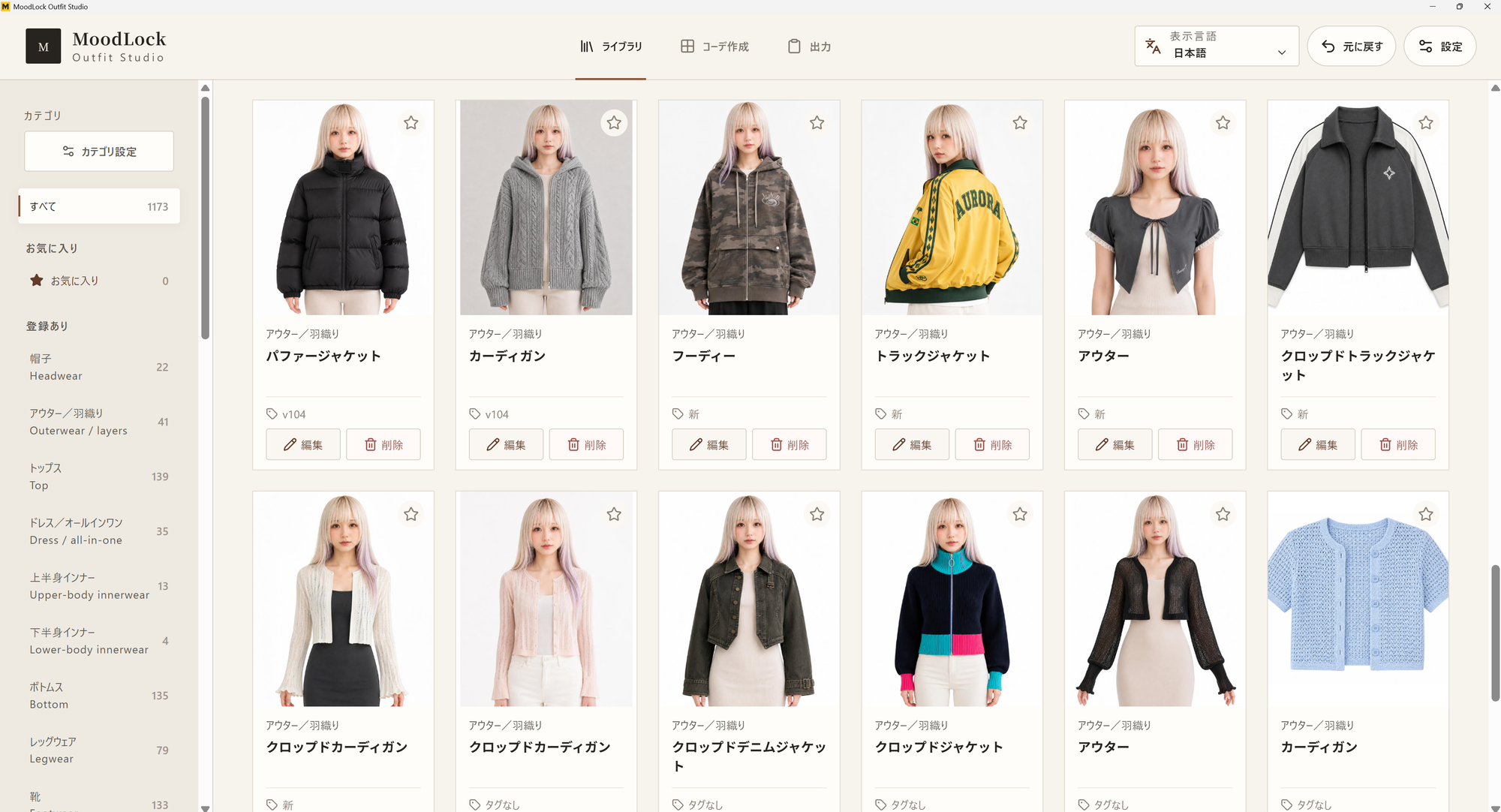
Register images and prompts, then find them quickly through categories and favorites.
Select products and review both the outfit structure and generation description in one place.
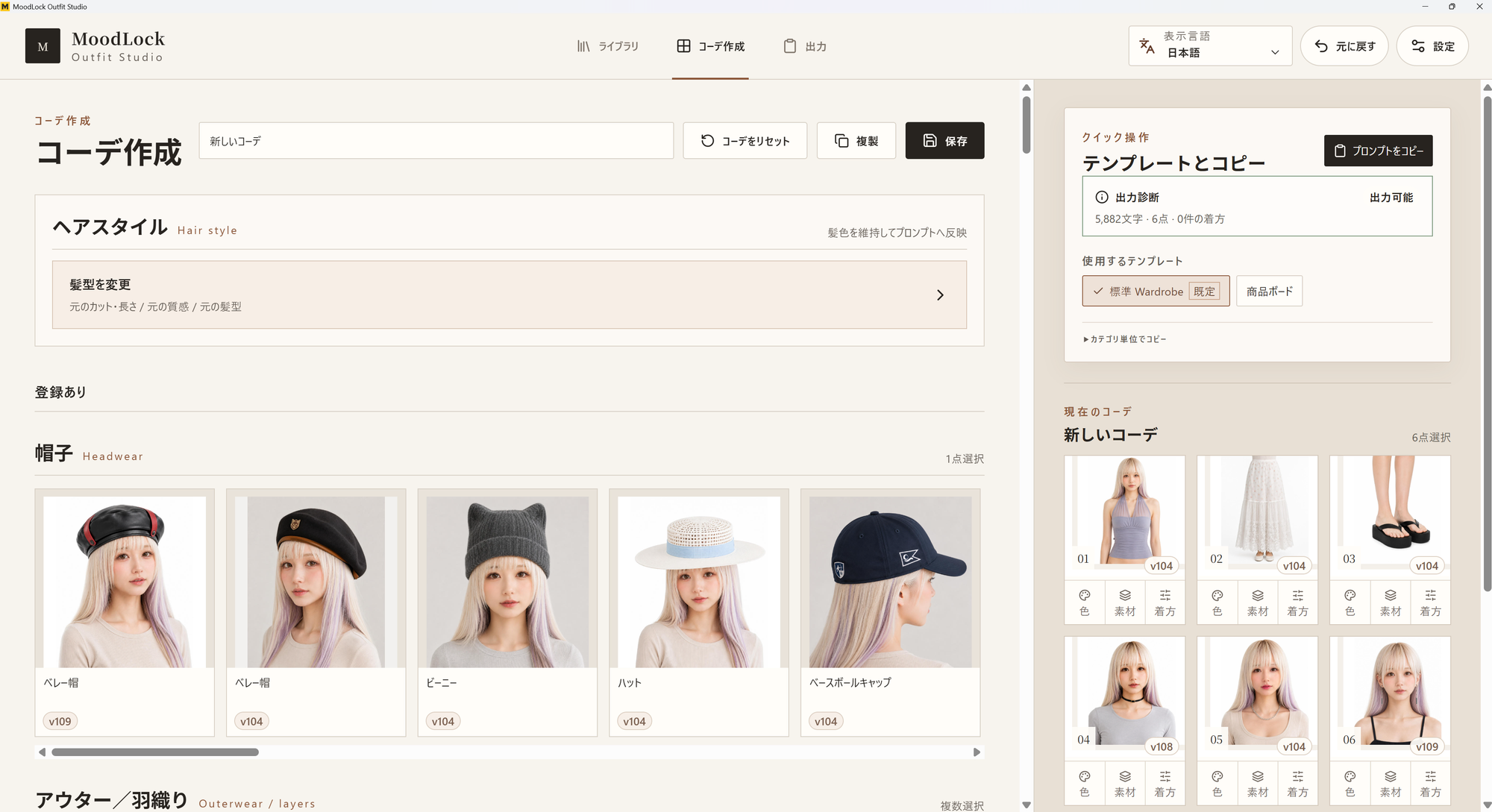
Select products and review both the outfit structure and generation description in one place.
Change hair, color, material, wearing method and placement only where needed.
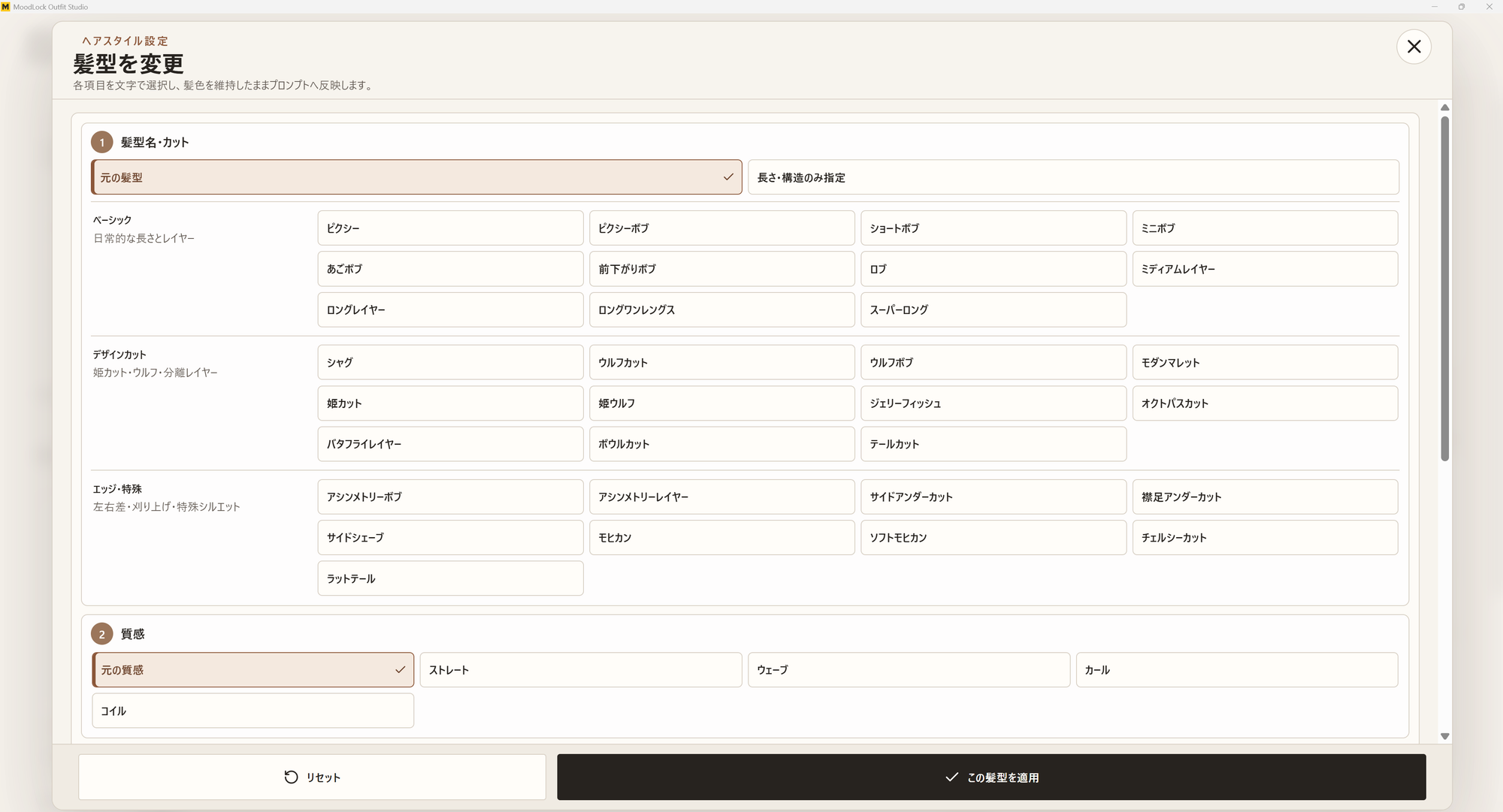
Change hair, color, material, wearing method and placement only where needed.
Color and material changes rewrite expressions detected in the registered English prompt. Detection or replacement of every color or material expression, and accurate reproduction in generated images, are not guaranteed. Review the output prompt.
Review and copy the completed outfit prompt. Pro also lets you tailor the output format.
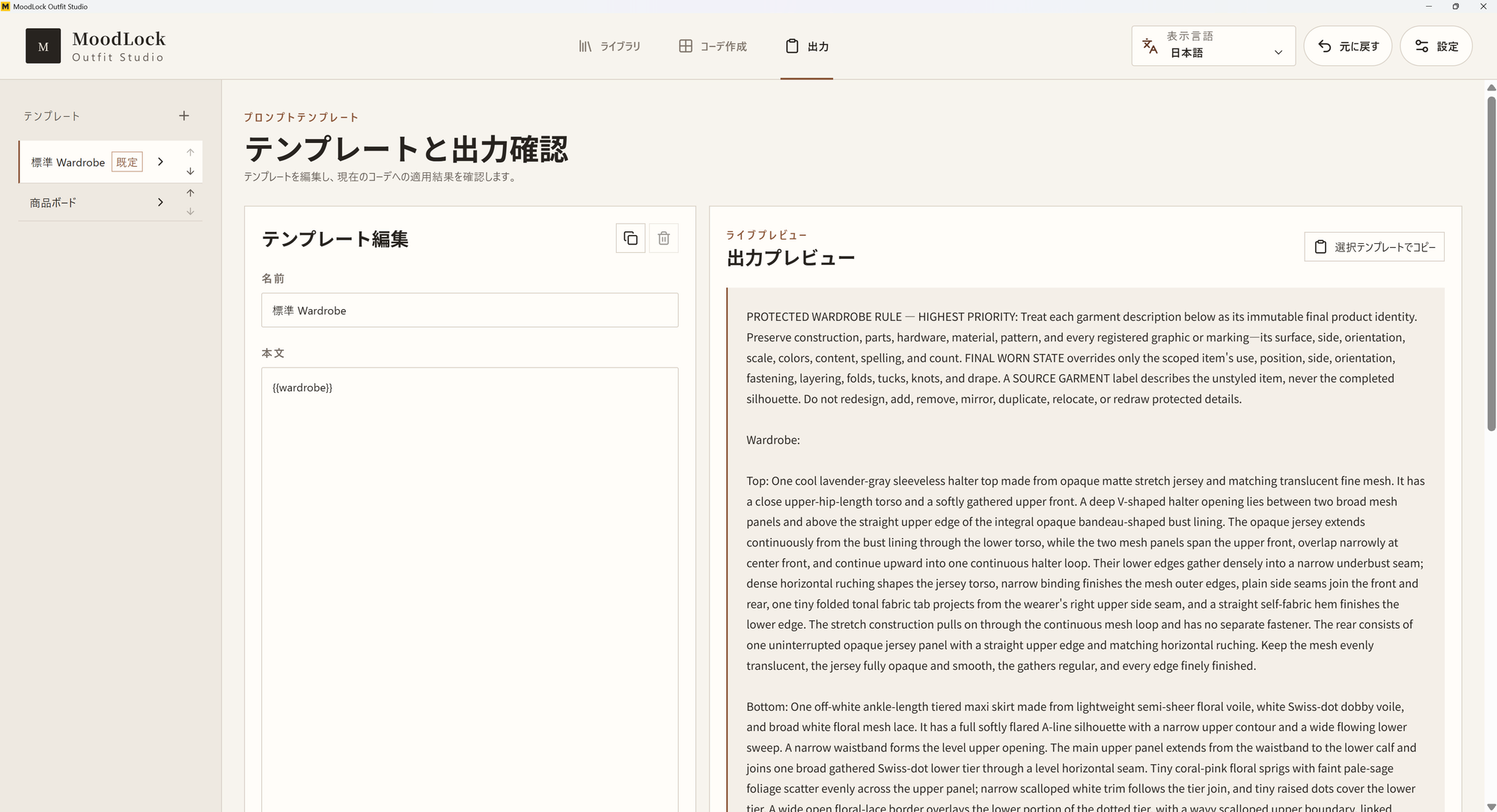
Review and copy the completed outfit prompt. Pro also lets you tailor the output format.
Unlock Pro in the same app and keep the data you already created.
FREE / PRO
Register unlimited products in Free, then unlock Pro for unlimited saved outfits and detailed adjustments.
FREE
JPY 0
Register unlimited products, save up to two outfits, organize categories and favorites, and export the standard prompt format.
PRO / ONE-TIME
JPY 1,980
Regular price: JPY 2,980 (tax included)
Special price JPY 1,980 is available through October 31, 2026 (Japan Standard Time)
One-time add-on that permanently unlocks Pro features in the same app. No monthly fee.
Commercial use and resalePrompts and works created with them may be used commercially, delivered to clients, sold and distributed, with or without edits.
Non-exclusive outputOutputs are non-exclusive. The MoodLock product, built-in standard templates, and private instructions, analysis methods and execution procedures may not be copied, sold or distributed.
Purchase and refundPro purchases, billing, cancellation and refunds follow Microsoft Store terms and applicable law.
Pro color and material changes rewrite only detected expressions in the English prompt. Complete replacement and reproduction in generated images are not guaranteed. Please consider this before purchase.
For the Windows edition in Japan, Free costs JPY 0. One-time Pro costs JPY 1,980 through October 31, 2026 (Japan Standard Time), then JPY 2,980, tax included.
Check Microsoft Store for current purchase availability and final local price and taxes. Store checkout takes precedence outside Japan too.
Studio purchase terms →CURRENT STATUS
Get Studio Free from Microsoft Store. Pro is a one-time add-on purchased within the same app. This website does not process payments.
View support →